 LearnTok
Learn English by scrolling.
Short videos about everyday life, with subtitles in your language. Tap a word to understand it, answer a quick question now and then, and it sticks.
The videos are in English. Everything else speaks your language.
Subtitles, word meanings and lesson instructions are available in:
Switch between English and translated subtitles at any time. More languages are on the way.
Watch. Answer. Come back tomorrow.
No lectures: short scenes with recurring characters, like on social media, and just enough practice to make it stick.
FR problème · ES problema · DE Problem
1Watch
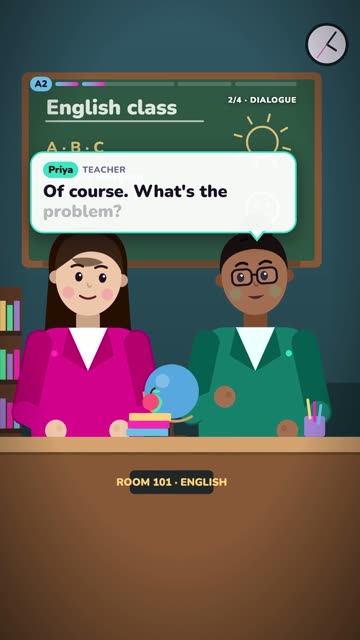
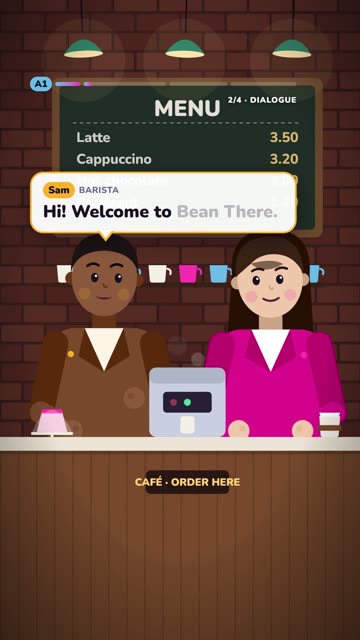
Short dialogues at the café, in class, at work. Subtitles in English or in your language, and any new word translates with a single tap.
2Answer
After the video, a one-minute lesson: understand it, rebuild the sentence, say it out loud. You know right away if you got it.
3Come back tomorrow
Every day, a quick review of the words you saved. What you know comes back less and less often; what you struggle with comes back sooner.
From your first “Hello” to a meeting in English.
A 2-minute placement test puts you at the right level. Then each unit teaches you one concrete thing you'll be able to say.
Introduce yourself, talk about your family, order at a café, go shopping.
Talk about your weekend, ask for directions, invite someone, say you're ill.
Tell a story, give your opinion, write an email at work.
Ace a job interview, negotiate, build an argument, sound natural.
An app that respects you.
No ads
No advertising, and your data is never used for it.
No guilt trips
No notifications that lecture you. Learn whenever you want.
Your data, your call
Without an account, your progress stays on your phone. Anonymous statistics only if you say yes.
Real-life English, topic by topic.
Each unit is six short videos and their lessons: two scenes, one useful sentence, one common mistake, one word or sound, and a quiz.
A1 · Beginner
- Hello & introductions
- People & family
- Numbers, age & phone numbers
- At the café
- Places in town
- My day
- Likes & hobbies
- Shopping
A2 · Elementary
- Right now
- Yesterday
- The weekend
- Can you help me?
- Directions & transport
- Plans & invitations
- Comparing
- Feeling ill
- Rules
- Have you ever…?
B1 · Intermediate
- How long…?
- Telling a story
- The future
- If…
- In my opinion
- At work: requests & emails
- Then and now
- Everyday phrasal verbs
- There's a problem
- If I were you…
B2 · Upper intermediate
- Describing precisely
- The passive
- Reported speech
- Regrets
- Making guesses
- The job interview
- Negotiating
- Building an argument
- Idioms
- Phrasal verbs at work
- Sounding natural
Frequently asked questions
How can I learn English with short videos?
LearnTok shows you short everyday scenes in English (at the café, in class, at work) with subtitles in your language. Tap any word to see what it means, then take a one-minute lesson to check you understood, rebuild the sentence and say it out loud.
What English level is LearnTok for?
From complete beginner (A1) to upper intermediate (B2): 39 units and 288 videos. A 2-minute placement test puts you at the right level, or you can start from the very beginning.
Which languages are the subtitles available in?
The videos are always in English. Subtitles, word meanings and lesson instructions are available in French, Spanish and German, and you can switch to English subtitles at any time to train your ear.
Do I need an account?
No. You can start right away in your browser, and your progress stays on your phone. An account is only needed to sync across devices, like videos, comment and join the leagues.
Is LearnTok available on Android?
Yes. Google Play is coming soon; until then you can download the Android app (APK) from this page and install it in three taps. LearnTok also works in any phone browser.
How much time do I need each day?
A few minutes is enough: each video lasts about 30 seconds, each lesson about a minute, and the daily review takes a couple of minutes.
Install the app on Android
LearnTok is coming to Google Play. Until then, you can install the Android app directly from here: same app, free, no ads.
- Download the file on your phone. Open this page on your Android phone and tap the button.
- Open it. Your phone asks you to allow installs from your browser: tap Settings, turn on “Allow from this source”, then go back.
- Tap Install. If Play Protect says it doesn't know the app, tap “More details”, then “Install anyway”.
To update, download the new version here and install it over the old one: your progress stays.